Prefer one focal subject
One large subject is easier to recognize than many small characters, objects, and background elements.
Text prompt to craft grid
Beadora turns a written idea into original source artwork, maps the artwork to your selected bead or DMC colors, and creates a numbered fuse-bead or diamond-painting pattern on iPhone and iPad.
Yes. Beadora first generates artwork from your description, then converts that image into a numbered grid using the palette and dimensions you choose. Select Perler when you want the resulting plan mapped to Beadora's supported Perler colors.
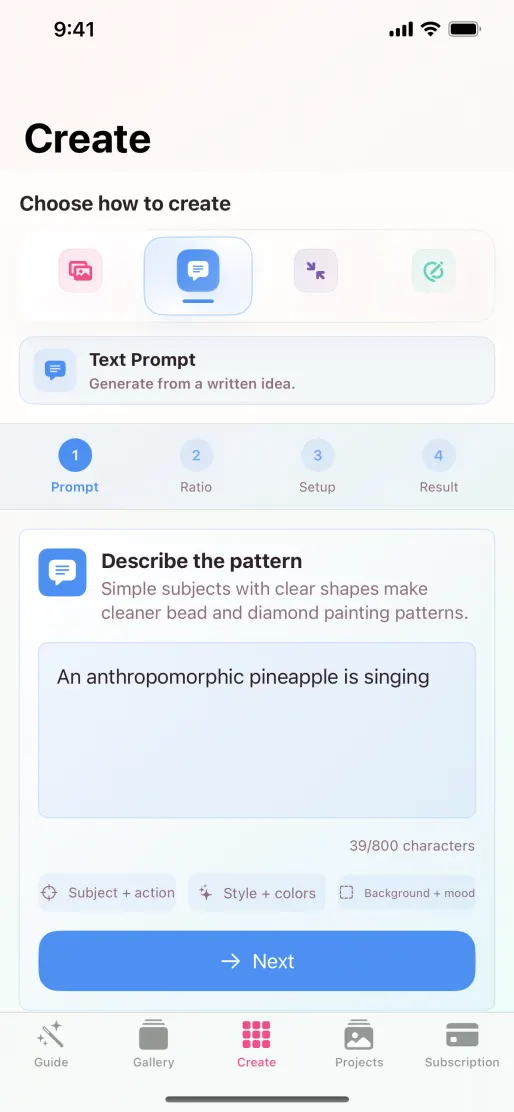
Start with the idea, then choose the ratio before moving into the pattern setup.
Prompt formula
A reliable prompt names the subject first, adds a clear pose or action, specifies a visual style, and keeps the background simple. Write for the small, physical grid the artwork will become.
Generated result
After setup, Beadora generates the source artwork, maps it to the selected physical palette, and builds the numbered grid. This is the point to check whether the composition still reads clearly at bead scale.
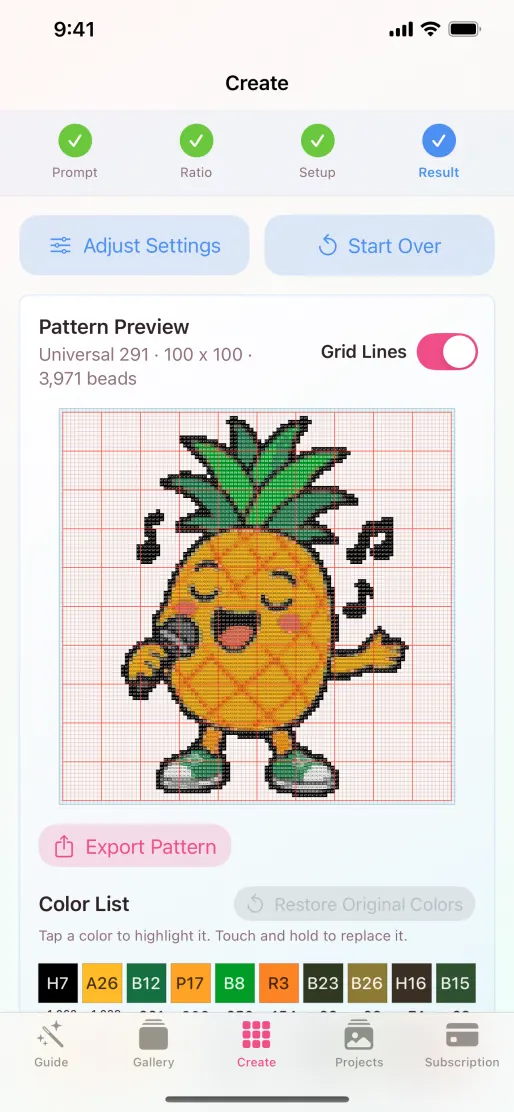
The result combines the generated artwork with a numbered grid, mapped colors, and material quantities.
What translates well
A generated image can contain more detail than a bead grid can hold. Prompt for clean hierarchy from the start.
One large subject is easier to recognize than many small characters, objects, and background elements.
Clean silhouettes, strong contrast, and a simple background help important edges survive color mapping.
Use a larger grid for faces, scenery, and fine features. Use simple icon-like ideas for compact projects.
Small lettering is difficult for both generated artwork and low-resolution craft grids. Add text later when precision matters.
Specify a small color direction when it matters, then let the selected physical palette determine the nearest available codes.
If the composition is fundamentally wrong, revise the prompt. Use color replacement for targeted cleanup after the structure works.
How AI generation is processed
To create source artwork, Beadora sends the text prompt and generation settings through its backend for AI processing. The resulting image is then converted into the selected pattern format.
AI generation FAQ
Yes. For fuse-bead patterns, choose Universal 291, Perler, Universal 221, or Artkal S during setup.
Yes. Select diamond painting and Beadora will map the result to its supported DMC 447 palette.
Beadora displays the currently available trial or one-time generation option in the app. Apple shows the exact localized price before any purchase is confirmed.
Source note: Product behavior and purchase language were checked against Beadora 3.14, the current App Store listing, and the Beadora Privacy Policy on November 4, 2026.
Text to pattern
Use Beadora to turn an original prompt into source artwork and a buildable numbered pattern.
Try Beadora on the App Store