Material-aware pattern planning
Choose colors you can build with.
A pattern palette is not only a visual style. It determines the codes and quantities Beadora places in the final plan, so the best choice is the library that matches the beads or drills you intend to use.
Short answer
Which palette should I select?
Select Perler or Artkal S when you are building with that named bead range. Use Universal 291 or Universal 221 when that is the library you already plan around. Choose diamond painting for DMC-coded output.
Palette comparison
Five choices, two different crafts.
The source image can remain the same while the selected library changes the nearest available color assigned to each cell.
| Palette | Craft | Choose it when | Output |
|---|---|---|---|
| Perler | Fuse beads | Your physical project uses Perler colors. | Perler-matched codes and a count for every color used. |
| Artkal S | Fuse beads | Your physical project uses the Artkal S range. | Artkal S-matched codes and quantities. |
| Universal 291 | Fuse beads | You want Beadora's broader universal fuse-bead library. | Universal color numbers and quantities. |
| Universal 221 | Fuse beads | You use the established 221-color Beadora library or compatible Gallery defaults. | Universal color numbers and quantities. |
| DMC 447 | Diamond painting | You are planning a diamond-painting chart rather than a fuse-bead board. | DMC codes and a cell count for every color used. |
Important: Color displayed on a phone can differ from a physical bead or drill because of screens, lighting, dye lots, and supplier changes. Confirm critical colors with the physical materials before committing to a large project.
A repeatable decision
Choose the material before tuning the image.
- Inventory the materials. Note the brand or code system you already own or plan to buy.
- Select the matching library. Choose the palette in Beadora before generation or conversion.
- Review the mapped result. Inspect skin tones, shadows, and other colors where a nearest match matters.
- Replace targeted colors if needed. Keep the composition and correct only the cells that need a more practical choice.
- Use the quantity list. Plan materials from the codes and cell counts in the final pattern.
Palette and grid size solve different problems.
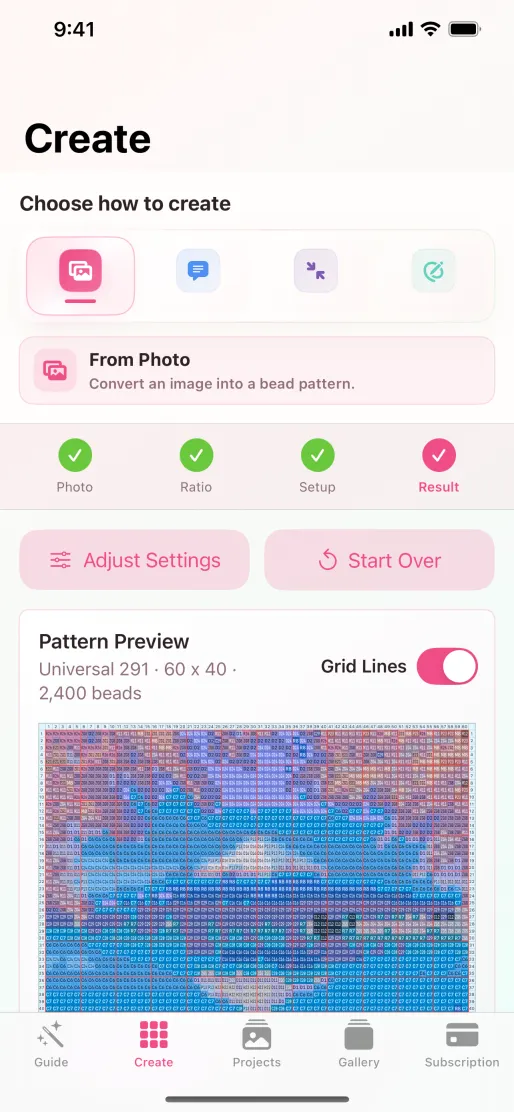
The palette controls which physical colors can appear. Grid dimensions control how much spatial detail the pattern can preserve. A larger palette cannot recover facial detail lost in a very small grid, and a large grid cannot create a missing physical color.
Choose both deliberately: first the material system, then a grid that fits the subject and physical project.
Source note: Supported palettes were checked against Beadora 3.14 and its App Store listing on November 4, 2026. Beadora is independent and this guide does not claim endorsement by material manufacturers.
From colors to a plan
Map the image to the materials on your craft table.
Choose a supported palette, review the numbered grid, and use the quantity list to plan the build.
Get Beadora