Edges simplify
Curves and diagonal lines have fewer positions available, so silhouettes may become more angular.
Existing grid to smaller grid
Beadora's Reduce Pattern Size workflow imports an existing pattern image, uses the original grid dimensions to understand its cells, and creates a smaller version mapped to a supported fuse-bead palette.
The source image alone does not tell the app how many original cells it contains. Enter the source width and height, then choose a smaller target width and height. Beadora can use the selected palette to remap the reduced result.
Reduction is processed on the device in the standard workflow. Version 3.12 made template reduction free and unlimited in the current purchase model.
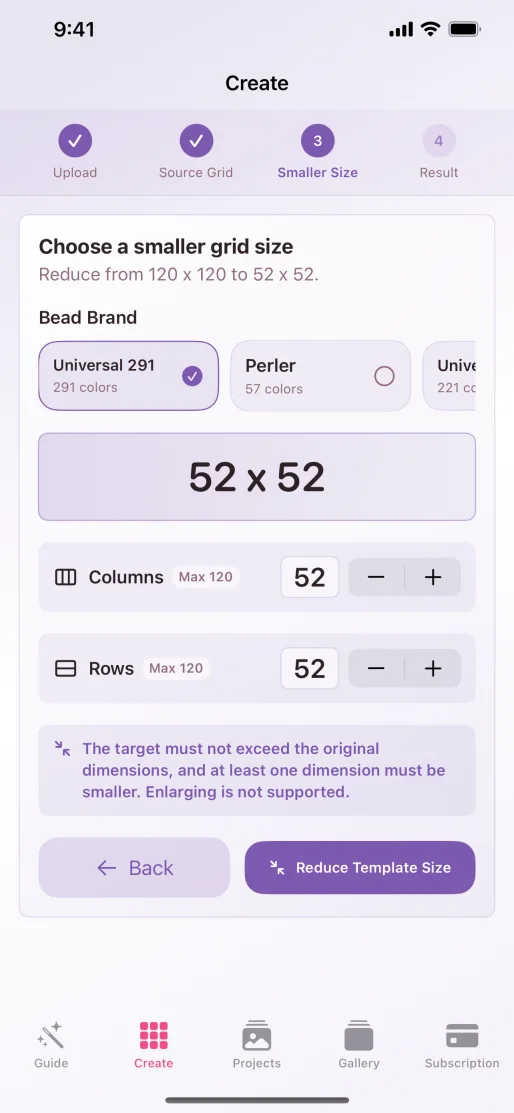
Reduction workflow
What reduction changes
Curves and diagonal lines have fewer positions available, so silhouettes may become more angular.
Small color regions can merge into a nearby dominant color when the target grid has fewer cells.
Eyes, lettering, texture, and thin outlines need deliberate review after reduction.
Reduction works best when the original pattern has a bold subject and clear separation between shapes. If a very small target must preserve an exact symbol, face, or piece of lettering, use the reduced result as a starting point and correct cells manually—or recreate the compact version in Blank Board.
Use the pattern-size guide before choosing the target and the palette comparison before mapping it to physical materials.
Source note: Availability, on-device processing, palette choices, and the current free/unlimited template-reduction model were checked against Beadora 3.14, its App Store version history, and the Privacy Policy on November 4, 2026.
A smaller build
Set the original grid, choose the target, inspect the simplified result, and keep the new version in Projects.
Get Beadora